
FOR CLUB ADMINISTRATORS AND COACHES

Your club
records.
All in one place.

Members, training attendance and membership fees in one application. Administrators and coaches access their records from a computer or phone.

An administrator account. Individual accounts for coaches. Request a club account.

app.clubmanager.rs
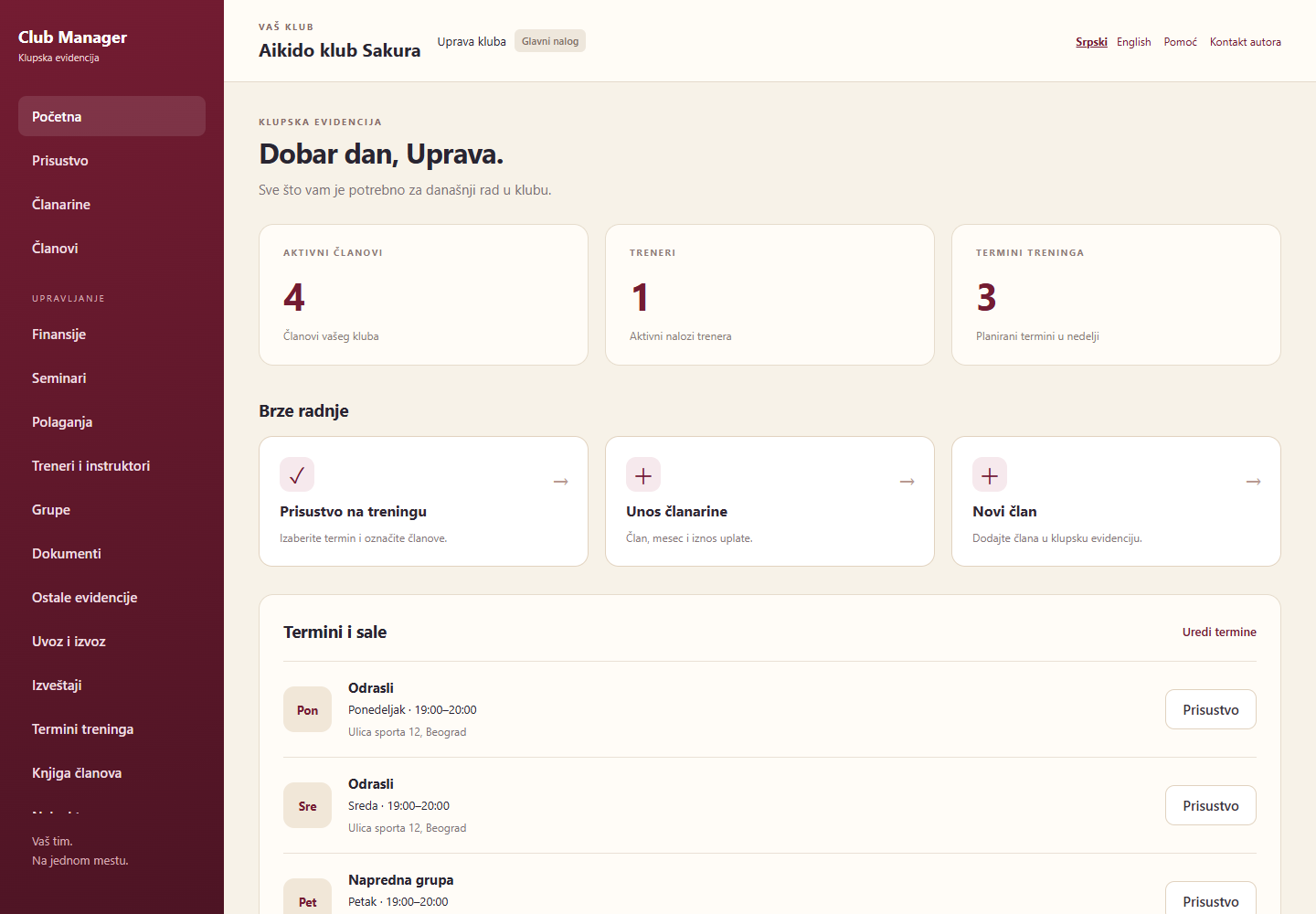
App dashboard showing active members, coaches and training schedules in the fictional Sakura club
Application preview with fictional data.
Computer and mobile phoneSerbian and EnglishSeparate records for each clubPDF and Excel reports

EVERYDAY CLUB MANAGEMENT

The data you use.
The records you need.

From a new member’s first training session to payment reports and a completed membership register.

Members and membership register

Personal details, activity status, registration and international numbers, and grading history. Membership register details are stored in each member’s profile.

Export a completed register to PDF, with your club’s name and logo on the cover.
Schedules and attendance

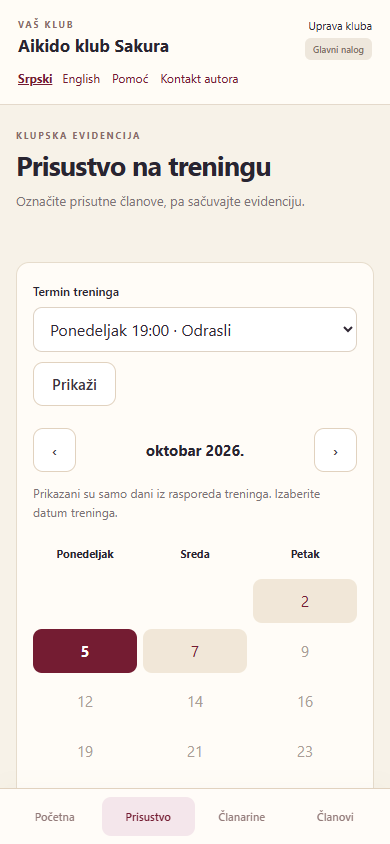
Training schedules with times and venue addresses. The calendar shows training days, and the coach marks attending members and saves the record.

Attendance is confirmed after saving.

Membership fees and finances

Record a payment for a member and month, with its amount, date and payment method. Administrators manage other income and expenses and review reports.

Amounts in RSD or EUR, with options to correct or reverse entries.

Gradings, seminars and documents

Candidates, results, grades and instructors. Seminar and participant records, groups and member documents with attachments.

Administrative views and reports are available to the administrator account.

ROLE-BASED ACCESS

Your club.
Your team.

Everyone uses their own account. Clubs use the same application, with separate records.

Club administrators

The administrator account has full access within the club. It manages club details and the logo, creates coach accounts, maintains records and downloads reports.

Coaches

A coach can add a member, record membership fee payments and save training attendance.

Federations and organisations

Federation mode includes a club directory, membership register imports, grading registrations and invoices based on KYU and DAN grade prices.

DATA AND ACCESS RIGHTS

Your data.
Controlled access.

Within the application, club data is accessible only to that club’s administrator account and the accounts it creates, according to their access rights. Other clubs cannot access your records.

Administrators have full access within their club and manage coach accounts. Coaches can add members and record membership fee payments and training attendance.

Data is shared with a federation when you export and provide it. Server access for technical maintenance and backups is separate from application user access rights.

Club Manager on a phone: a fictional club’s training calendar showing Monday, Wednesday and Friday
Preview with fictional data.

AT THE VENUE AND BEYOND

Your app is
always within reach.

Open Club Manager in your phone’s browser and sign in. Record attendance and membership fee payments at the training venue.

Add the app to your phone’s home screen using your browser. An internet connection is required.

Serbian / EnglishChoose your preferred interface language.

In-app helpGuides for entering data and everyday tasks.

Open the app

QUICK MOBILE ACCESS

Club Manager
on your home screen.

Add the app icon to your phone. Next time, open Club Manager with a tap, without entering the address again.

Open the app on your phone

Add the icon from app.clubmanager.rs. An internet connection and your club account are required.

ANDROID

Add using Chrome

  1. Open the application using the button in this section in Chrome.
  2. Open the ⋮ menu and choose Add to home screen, then Install, if offered. The option may be called “Install app”.
  3. Confirm. The Club Manager icon will appear among your apps or on the home screen.

If you are already signed in and see “Add to phone” in your account menu, you can also use that option.

IPHONE / IPAD

Add using Safari

  1. Open app.clubmanager.rs in Safari.
  2. Open Share and select Add to Home Screen.
  3. If available, enable Open as Web App. Then tap Add.

Open the new icon and sign in with your account. If the option is not visible, look for it in the list of sharing actions.

GETTING STARTED

A few steps
to your club’s records.

  1. Create an account

    Complete the club account request. Initial login details will be sent to the email address you provide in the request.

  2. Set up your club

    Enter club details and a logo, training schedules and coach accounts. Add members or import an existing database from the Windows club application.

  3. Everyday use

    Administrators and coaches maintain records according to their account permissions. Instructions are available in the app’s Help section.

Frequently asked questions

Can a club have multiple accounts?

Yes. Each club has one administrator account with full access and multiple coach accounts. The administrator creates and manages coach accounts.

Can other clubs see our data?

Each club sees its own data and records. Federation data exchange uses imports and exports of the relevant data packages.

Can I import data from the Windows application?

Windows club database imports are supported with a preview and confirmation. The destination club records must be empty, and existing file attachments must be added separately. Contact support for help preparing the import.

What language is the membership register exported in?

The statutory membership register PDF forms remain in Serbian. The app interface and help are available in Serbian and English.

Do I need to install anything on my computer?

Access the web app through your browser. On your phone, you can add it to your home screen. An internet connection is required.

NEW CLUB

Request a club account.

Form details are sent to support at support@clubmanager.rs. Once your request has been processed, initial login details will be sent to your email address. Submitting a request does not automatically create an account.

Fields marked with an asterisk (*) are required.

Do not enter passwords or club members’ personal data. This form is only for requesting a club account.

CONTACT AND SUPPORT

Club Manager
for your club.

For questions about the app, access arrangements
or help getting started, email us.

support@clubmanager.rs

Already have an account?

Open the app app.clubmanager.rs